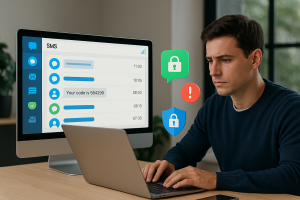
When I first joined our mid-sized enterprise IT department nearly six years ago, one of my initial projects was to evaluate and migrate our aging user authentication system. We were already facing a slew of phishing attacks, and our users were still clinging to barely secure email verification methods. The proposed solution? SMS OTP (one-time password) authentication. It sounded easy enough—until we began the actual implementation.
Now, as someone who’s weathered the ups and downs of rolling out OTP systems across multiple environments, I want to share the most valuable lessons I learned the hard way—along with a how-to guide on making this process smooth, scalable, and headache-free with the help of Verify Now’s real mobile numbers for OTP delivery.
Why SMS OTP Is Still Relevant (And Worth Doing Right)
Despite various criticisms, SMS OTP remains one of the most accessible forms of two-factor authentication (2FA) for users. Not everyone is ready for biometric authorization or secure authenticators. Mobile phones, on the other hand? Nearly everyone has one in their pocket.
But doing it *right* requires more than just sending a six-digit code to a number. You need reliability, scalability, and—you guessed it—real mobile numbers for OTP delivery, not virtual or recycled ones that obscure accuracy, slow down delivery, and kill user trust.
Lesson #1: Never Assume Telecom Carriers Will Play Nice
Our first mistake was assuming we could rely on generic SMS gateways to handle large volumes of OTP delivery. While the gateway provider promised support for most networks, the delivery time was inconsistent. For some users, it arrived in 3 seconds. Others waited 30, or never received anything at all.
We quickly realized the importance of choosing a provider that works with a robust, pre-vetted pool of real mobile numbers for OTP testing and ongoing monitoring. This is where Verify Now becomes invaluable—it ensures your OTPs are tested and delivered under real-world conditions, across countries and networks, so you’re not flying blind.
Lesson #2: Don’t Treat User Verification Like an Afterthought
In the race to build a flashy frontend or ship features, we too easily pushed user authentication into a corner. “We’ll just tack on SMS OTP later,” we said. Big mistake.
Implementing verification flows retroactively led to breaking changes in our login process, support tickets spiked, and internal testing filled with edge cases we hadn’t planned for. Now, I advise every IT admin I meet to bake in OTP handling from the start, not just for login but for any critical user action—password resets, banking transfers, admin account changes, etc.
Lesson #3: Internal Testing with Dummy Numbers Leads to False Confidence
I can’t tell you how many times we ran “successful” OTP tests using dummy or recycled numbers. Everything looked flawless in our logs—but once real users came in, chaos. Messages delayed, carrier filters triggered, formatting issues galore.
This is where Verify Now changed our testing game. Their platform provides real mobile numbers for OTP testing across dozens of countries, giving you as accurate a picture as possible before launching to your actual user base. It’s not fake. It’s not theoretical. It’s your safeguard against false positives.
How to Implement Reliable SMS OTP the Right Way
If I could do it all over again, here’s the step-by-step framework I’d follow—with a strong recommendation to integrate Verify Now at every critical point.
- Set Objectives: Is OTP for login only, or all secure actions? Define user flows early.
- Select SMS API Provider: Choose a provider with proven delivery rates, fallback options, and carrier compliance.
- Integrate with Real-World Testing: Use Verify Now’s platform to test OTP delivery using real mobile numbers across different networks, countries, and devices.
- Implement Rate-Limiting and Retry Logic: One failed OTP shouldn’t lock a user out. Build smart retry flows.
- Monitor Delivery Metrics: Continuously track success, latency, and bounce rates. Verify Now makes this part easy.
- Fail Gracefully: If OTP delivery fails, offer alternate authentication paths like voice calls or authenticator apps.
Lesson #4: Users Will Blame You, Not the Network
Reality check: end users don’t understand (or care) that OTP failures may be due to carrier filtering or delayed routing. They associate errors with your system. Poor perception = damaged trust.
Using Verify Now’s real-world testing tools not only saves hours of debugging but keeps your brand reputation intact. Your users get OTPs quickly and consistently. You get peace of mind.
Lesson #5: Build Feedback Loops for Continuous Improvement
Even after a successful rollout, never rest on your laurels. Carrier algorithms change. Spam filters tighten. Users migrate to 5G networks or virtual SIMs. The OTP world is dynamic, and so must your testing strategy be.
I now run regular sanity checks using Verify Now to make sure OTPs still deliver as expected, weekly and across various conditions. You should too.
Conclusion: OTP Success Starts with Realism—and Real Numbers
You don’t need to learn every lesson the hard way. Trust me, I’ve been there, watched launches derail over invisible bugs, and spent too many late nights tracing bounced messages. If there’s just one takeaway I can give my fellow IT admins, it’s this:
Don’t skimp on OTP testing. Rely on real mobile numbers. Choose partners like Verify Now who get it because they’ve lived it.
Your users deserve reliable security. You deserve a system that just works. Try Verify Now risk-free and see the difference before your next OTP deployment. Your future-self will thank you.