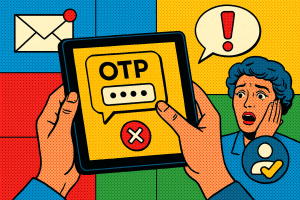
As a freelance developer, the only thing more stressful than pushing untested code to production is discovering your app just leaked user data. Security isn’t a nice-to-have anymore—it’s a must. Whether you’re building a startup MVP or managing enterprise-grade APIs, staying compliant and secure is table stakes. Over the years, I’ve assembled a trusty toolkit to keep my digital projects locked down—and my clients happy. Here’s a list of the seven tools and strategies I rely on daily to handle security and compliance while juggling projects.
1. Twilio and Verify Now’s Bulk SMS Verification Service
Let’s start with user verification. Passwords are so last decade—and really, no one likes remembering them. I’ve largely replaced traditional signup flows across projects with two-factor authentication powered by the bulk SMS verification service from Verify Now and Twilio.
The integration is straightforward, the reach is global, and my favorite part? I don’t need to maintain complex infrastructure for OTP delivery. Whether someone’s signing up for a fintech platform or a new rewards app, I can validate identity at scale, reduce fake accounts, and stay compliant with KYC/AML requirements depending on the use case. It’s saved me countless support tickets and angry emails.
2. Snyk for Vulnerability Scanning
Raise your hand if you’ve ever copy-pasted a package off GitHub without reading the security section (we’ve all been there). I use Snyk to prevent those moments from becoming nightmares. It scans my dependencies—NPM, Docker, whatever—and highlights known vulnerabilities with suggested fixes.
Better yet, it integrates with my Git repos directly. I’ve set up alerts, so when a dependency I’m using is suddenly flagged as vulnerable, I don’t find out from Reddit. This alone has helped me fix issues before they baked into production.
3. Postman’s Environment Encryption and Access Controls
If you’re juggling multiple APIs, Postman is your best friend. However, I learned the hard way that APIs can also be a big attack vector. That’s why I now obsess over Postman’s security features: encrypted environment variables and granular team permissions.
No sensitive tokens in plain text, no sending unsecured requests by mistake. Plus, with forks and version control, I can safely set up sandbox-and-production workflows—without leaving my digital tools scattered across Notion docs and 3 AM Slack threads.
4. Helmet.js for Express Applications
When I’m building Node.js/Express apps, Helmet.js is the first middleware I install—and usually forget about because it just works. Helmet sets various HTTP headers that protect against well-known vulnerabilities like XSS and clickjacking.
It’s the equivalent of locking the doors to your digital house before handing it over to the client. Does it solve all problems? No. But it’s a baseline upgrade for every project that touches a production environment. Especially useful when your clients care about GDPR or SOC 2 compliance.
5. GitGuardian for Secrets Detection
True story: I once pushed AWS keys to a public GitHub repo. For four minutes.
Never again. GitGuardian watches your repositories—public and private—for sensitive data like API keys, passwords, or credentials. It alerts you instantly if you mistakenly commit something dangerous.
I now run GitGuardian in my CI/CD pipelines as a safety net. It’s like having a security-minded teammate whose only job is saying, “Hey, maybe don’t commit that .env file.”
6. OWASP ZAP for Automated Pen Testing
For more complex apps, scanning for vulnerabilities can’t just be an occasional to-do. That’s when I pull out OWASP ZAP, the open-source security scanner that lets me automate penetration tests.
I use ZAP’s passive scan mode during development stages so I can catch suspicious patterns—like open ports or deprecated TLS versions—before things go live. It’s a smart way to simulate what a malicious scanner might see without actually hiring one (although that’s useful too).
7. JSON Web Token (JWT) Blacklisting Strategy
This one’s more a strategy than a tool, but worth every second.
If you use JWTs for authentication like I do, you probably love their stateless model—until you need to revoke them. That’s where token blacklisting comes in. I use Redis or a similar in-memory datastore to store invalidated JWTs with TTL, and middleware to check incoming tokens against the blacklist.
This has saved my projects in cases where user accounts were compromised, or when clients requested an immediate forced logout across devices. It’s not baked into JWT by default, but implementing this yourself takes your app’s security to the next level.
Final Thoughts: Security is a Workflow, Not a One-Time Fix
As freelancers and developers, we wear a lot of hats—but the “security guy” hat might be the most important, even if it’s not in our job description. With regulatory frameworks tightening and user expectations rising, skipping security feels like signing a blank check to your future stress levels.
By investing time into tools like the bulk SMS verification service from Verify Now, along with reliable tech like Snyk, GitGuardian, and OWASP ZAP, I stay sane and my clients stay secure. It’s not about getting it perfect, but making smart system-level decisions that scale with how you work.
Want to swap dev war stories and share tips on building secure, scalable apps? Join the Verify Now community—where developers like us talk shop about security, compliance, and future-proofing the digital stack.