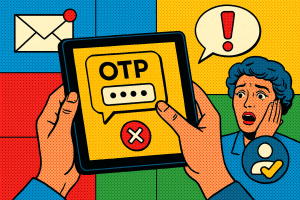
Signing up for a new online account can feel routine—until it isn’t. Whether you’re juggling logins for productivity tools, financial services, or social apps, the way platforms verify your identity during sign-up plays a vital role in keeping your information safe. But not all verification methods are created equal. If you’ve ever wondered whether email or phone verification is more secure or easier to manage, we’re here to walk you through it—step by step.
Understanding the Basics
Most digital platforms offer two primary forms of account verification: email and phone number. These methods confirm that you are, in fact, who you claim to be—and not a bot or malicious actor. While the goal is the same, the experience and security level can vary depending on which method is used.
Email Verification: The Traditional Approach
Email verification is a go-to method for many websites. After entering your email during sign-up, you receive a confirmation email with a link or code to complete the process. This validates your identity using a relatively low barrier to entry.
Pros:
- Simple and familiar — Most users already have email accounts and understand the process.
- Accessible globally — Works smoothly across regions, as long as users have an internet connection.
Cons:
- Easily spoofed or compromised — Email accounts can be vulnerable to phishing or unauthorized access.
- More prone to getting overlooked — Spam filters may block verification emails, causing delays or confusion.
Phone Verification: Added Security with a Personal Touch
Phone verification involves sending a one-time code via SMS or call to your mobile number. You input this code to complete sign-up. This method adds a layer of security that’s harder for attackers to bypass.
Pros:
- Real-time confirmation — Users are often more engaged with their phones, reducing chance of a missed code.
- Less vulnerable to spam filters — SMS-based verification is generally more direct than email.
- Location agnostic with the right tools — Services like Verify Now support global mobile numbers, helping users sign up securely regardless of where they are.
Cons:
- Requires access to a mobile device — Not ideal for users without reliable mobile service.
- Can be costlier to web services — SMS can incur higher costs for providers, which sometimes delays implementation.
What This Means for You
If you’re managing multiple online accounts, phone-based verification is often the more secure option. It reduces the risk of weak passwords being exploited and makes it harder for attackers to access your profiles. Plus, with support for global mobile numbers, services like Verify Now make it easier than ever to protect your accounts no matter where you are.
Email verification, while convenient, should be considered the starting line—not the finish line—of your identity protection practices. Combining both methods, especially with two-factor authentication (2FA), is often the best plan for long-term account management.
Choosing the Right Option for Each Account
Some platforms let you choose your verification method, while others don’t. When the option is available, consider your needs:
- For financial accounts, health portals, or anything sensitive: always choose phone verification or 2FA with a mobile number.
- For casual or temporary accounts: email may suffice, but stay cautious about reuse and password rotation.
- If using global services: look for platforms that offer verification solutions supporting global mobile numbers so you aren’t left out due to your location.
Final Thoughts
The sign-up process sets the tone for your relationship with a digital service—from convenience to security. By understanding the strengths and tradeoffs between email and phone verification, you’ll be better equipped to protect your digital identity while minimizing the hassle. As more platforms prioritize security, services like Verify Now are helping bridge the gap by offering scalable solutions for verifying users through global mobile numbers.
Ready to take control of your digital security? Get started today!